

EditShare platform releases private AI-powered search, intelligent media discovery, expanded archive workflows and workflow enhancements across FLOW and EFS.
EditShare’s recent major update introduces FLOW AI, a series of new search and discovery functions built directly into FLOW,. while keeping media and metadata under the user’s control.
In particular, it aims to serve teams moving and managing growing volumes of media between storage, archive and active editorial environments, helping users find the right content faster without relying on manual tagging or external cloud-based AI services.
“Media teams do not need AI as a separate experiment. They need intelligence built into the tools they already use every day,” asserted Brad Turner, CEO of EditShare. “With FLOW AI in 2026.2.0, we are making every asset easier to understand, search and use, while keeping media and metadata under the user’s control. This release reflects the direction of the EditShare platform – faster discovery, more open workflows and fewer manual steps between ingest, archive and edit.”
Combining AI-powered Semantic Search with Keyword Search
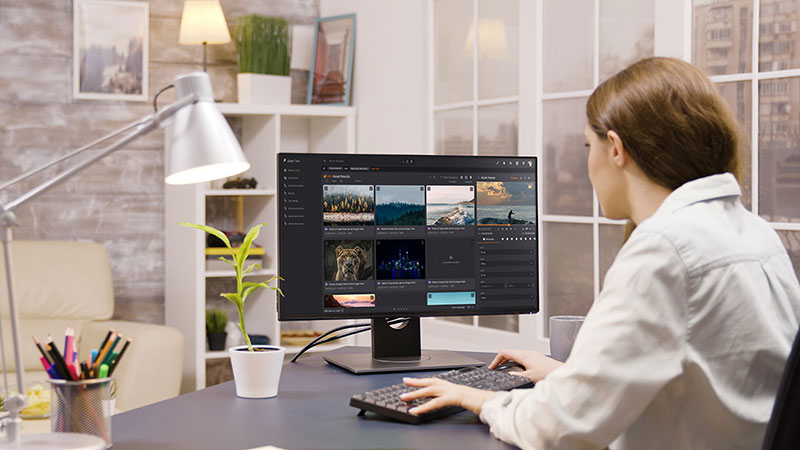
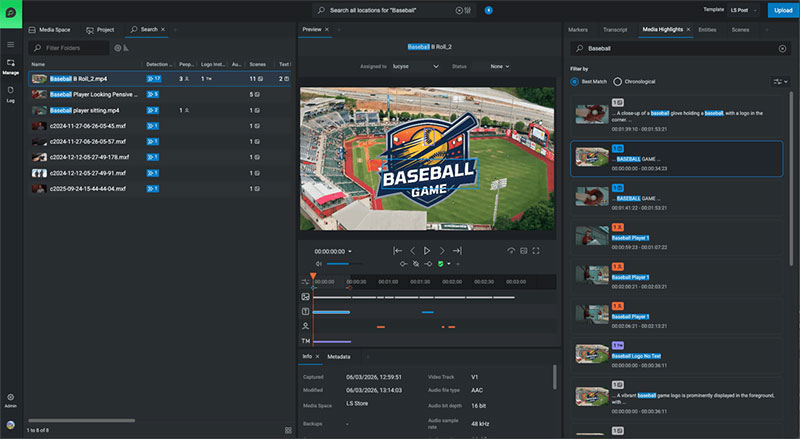
FLOW AI analyses media to make dialogue, scenes, faces, logos, text-in-picture and metadata searchable from within FLOW, combining AI-powered semantic search based on the query's intention and contextual meaning, with traditional keyword search in a single hybrid search experience.
Furthermore, rather than searching one detection category at a time, users can query across all of them at once. Search results include detection counts, highlighted matches and direct navigation to relevant moments in the asset, helping the user to move quickly from discovery to review and editorial action.
FLOW AI Built-in Tools for Collecting Data about Data
New media intelligence views serve as faster ways to explore and navigate content. For instance, the Media Highlights panel presents a unified view of matching moments across different types of detection. Dedicated Entities, Transcript and Scenes tabs make it easier to locate specific people, brands, dialogue or visual moments within an asset.
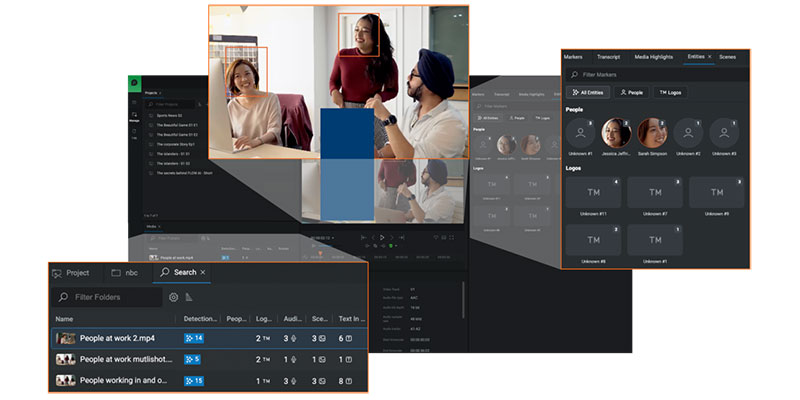
FLOW AI detection points, which give users a visual map of where relevant moments occur, also appear on the media player timeline. Bounding boxes show where an entity, such as a detected person or logo, appears in frame to help teams verify results quickly during search, logging and review.
From there, administrators can manage known people and logos through dedicated databases. Because FLOW AI indexes detections during processing, newly identified people or logos can be associated across the existing database without requiring media to be reprocessed.
Secure On-premises AI workflows
Processing runs on dedicated EditShare GPU-enabled infrastructure. Media, metadata and detection data remain within the customer’s own secure environment. Content is not sent to the cloud and is not used to train external AI models. FLOW AI also integrates with Scan, Upload, FLOW Control and FLOW Automation, allowing AI processing to be initiated during ingest, triggered manually or incorporated into automated workflows.
Workflow improvements in EditShare One
EditShare 2026.2.0 also introduces a series of improvements across the EditShare One user interface, helping users move faster through common media management tasks. EditShare One gives a single access point across all of the company’s production asset management and media storage tools, and has specialised views. For example, Producer View supports collaboration across a production team, and the Transcription View is used to identify key points quickly in large media captures.
Users can now archive and restore entire media spaces or folders directly from EditShare One, making it possible to manage larger collections of media without handling assets individually. Direct asset URL sharing allows users to send colleagues a link to a specific asset, reducing time spent searching or navigating through media spaces.
The release also improves metadata editing, search result behaviour, panel reopening, file browser navigation, media player zoom controls, marker handling and drag-and-drop workflows. Users can drag assets, subclips, markers, media highlights and scenes into projects, bins or sequences, reducing manual steps between discovery and editorial preparation.
Archive and Platform Integrations
Within the scope of FLOW’s functionality is the role of a central operational layer for media lifecycle management. EditShare 2026.2.0 extends this role by connecting FLOW directly to enterprise archive platforms to specifically help teams managing content across active, nearline and archived storage.
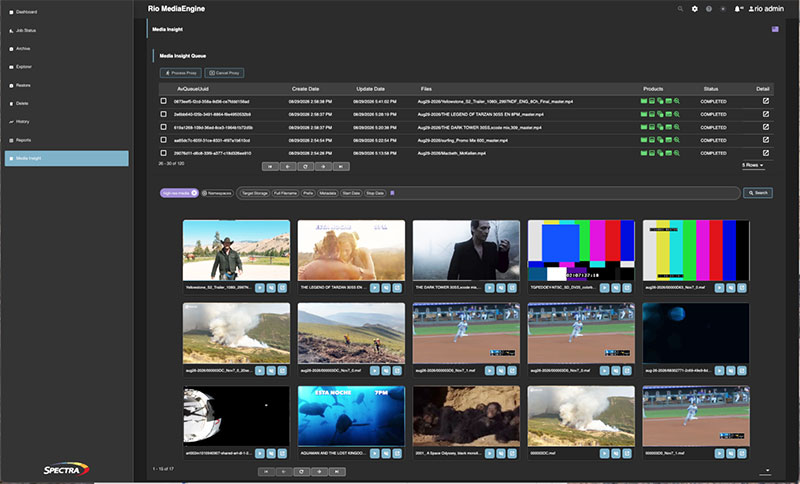
The release now integrates with Telestream DIVA Archive and Spectra Logic Rio MediaEngine, enterprise archive platforms. Organisations using these products can initiate archive and restore workflows directly from within FLOW. This relationship helps teams keep existing archive investments, while giving individual users a more connected experience for managing active, nearline and archived media. editshare.com